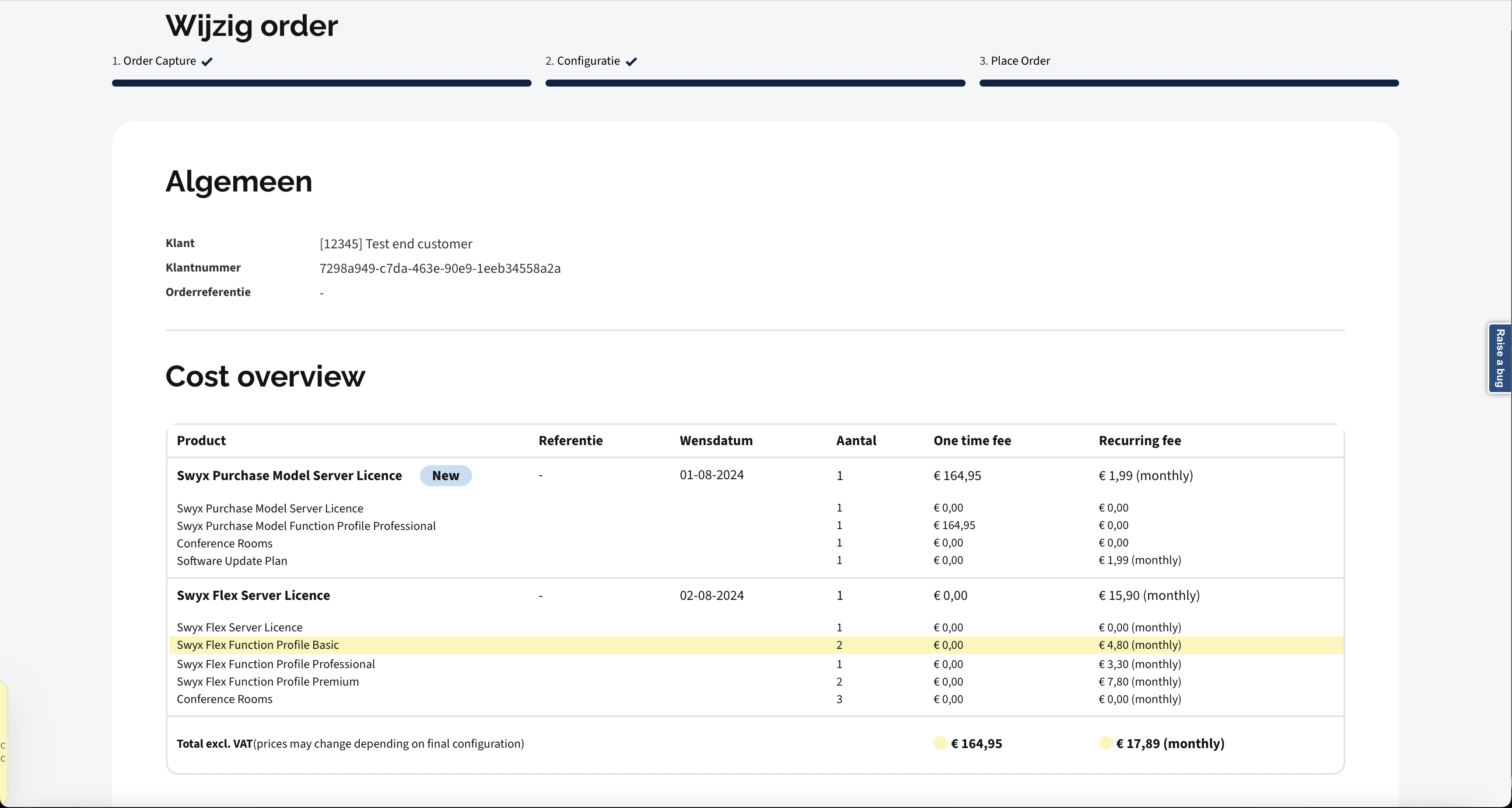
Place a change order by adding products
This guide describes how to place a change order by adding products to the order, resulting in one order with multiple subscriptions.
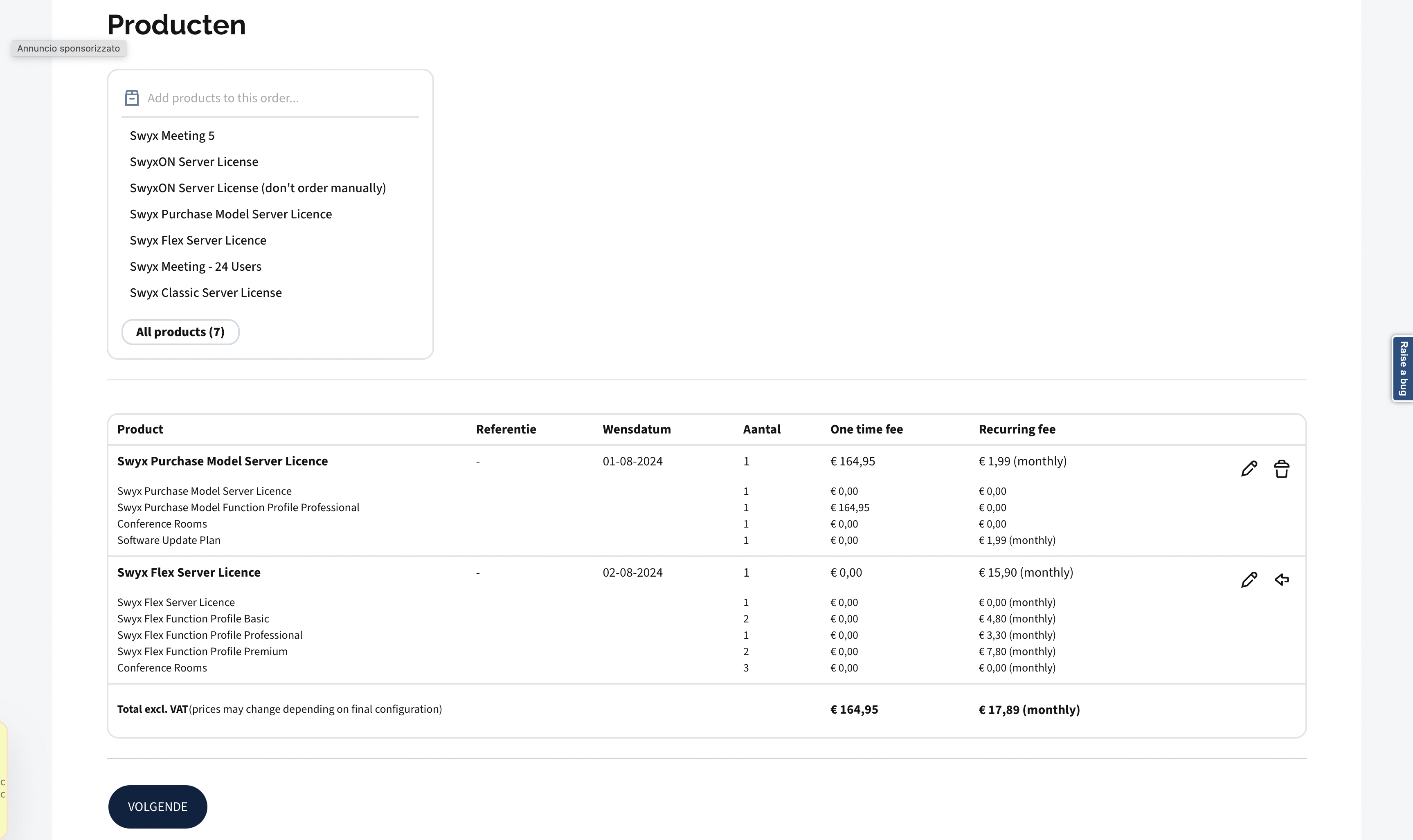
The examples in this guide are meant to be used as a reference. The UUIDs and dates are not real and should be replaced with real data. The illustrations are for visual representation only and do not match the data used to explain the endpoints.
Step 1 - Retrieve the order draft id
GET /v1/profile/order-drafts
Swagger documentation here: Get profile order drafts
Response:

```json
{
    "order_draft_id":"a474ad23-e9d0-4ea7-8562-e13fd0826583"
}
```
Step 2 - Update the draft with the end customer account
PATCH /v1/order-drafts/{orderDraftId}
Swagger documentation here: Update the order draft
Payload:

```json
[
  {
    "op":"add",
    "path":"/order-on-account",
    "value":"08684e47-9d25-4dc7-9d00-d288b1861ba9"
  }
]
```

Properties

Option      | Type   | Description
----------- | ------ | ------------
`operation` | string | Operation to be performed. In this case "add"
`path`      | string | Path to the property to be updated. In this case "/order-on-account"
`order_account_id` | UUID | UUID of the end customer account.
Step 3 - Place an empty change to the draft
PATCH /v1/order-drafts/{orderDraftId}
Swagger documentation here: Update the order draft
This will set the selected subscription(s) to the draft. Fetching the draft in next step will list the intake orders in the subscription(s). If more than one subscription is selected for changing, the payload should contain multiple operations as below, one for every subscription.
Payload:

```json
[
  {
    "op":"add",
    "path":"/changes",
    "value":
      {
        "subscription_id":"08684e47-9d25-4dc7-9d00-d288b1861ba9",
        "products":[]
      }
  }
]
```

Properties

Option      | Type   | Description
----------- | ------ | ------------
`operation` | string | Operation to be performed. In this case "add"
`path`      | string | Path to the property to be updated. In this case "/order-on-account"
`subscription_id` | UUID | UUID of the selected subscription.
`products` | array | Array of products to be added to the subscription. In this case, it is empty.
Step 4 - Retrieve the draft
GET /v1/order-drafts/{draftId}
Swagger documentation here: Get the order draft
Query Parameters:

Parameter      | Required   | Type    | Description
----------- | ------ | ---------- |------------
`draftId` | required | UUID | UUID of the draft

Response:

```json
{
    "_links": {
        "intakes": {
            "href": "/v1/order-drafts/a474ad23-e9d0-4ea7-8562-e13fd0826583/intakes"
        },
        "changes": {
            "href": "/v1/order-drafts/a474ad23-e9d0-4ea7-8562-e13fd0826583/changes"
        },
        "terminates": {
            "href": "/v1/order-drafts/a474ad23-e9d0-4ea7-8562-e13fd0826583/terminates"
        }
    },
    "_embedded": {
        "intakes": [],
        "changes": [
            {
                "_links": {
                    "self": {
                        "href": "/v1/order-drafts/a474ad23-e9d0-4ea7-8562-e13fd0826583/changes/3a508bc2-02e7-4cb6-a747-6283e93e121e"
                    }
                }
            }
        ],
        "terminates": []
    },
    "id": "a474ad23-e9d0-4ea7-8562-e13fd0826583",
    "order_account_id": "829cd758-e448-4de1-a3ed-363a01666a3a",
    "reference": "-"
}
```

Properties

Option      | Type   | Description
----------- | ------ | ------------
`order_account_id` | UUID | UUID of the wholesaler account
`reference` | string | Reference for the order
The link(s) for changes should be used to retrieve the products active in the subscription(s).
```json
"changes": [
    {
        "_links": {
            "self": {
                "href": "/v1/order-drafts/a474ad23-e9d0-4ea7-8562-e13fd0826583/changes/3a508bc2-02e7-4cb6-a747-6283e93e121e"
            }
        }
    }
],
```
Step 5 - Get details of latest changes gives the products active in the subscription
GET /v1/order-drafts/{orderDraftId}/changes/{changeId}
Swagger documentation here: Update the order draft This step needs to be repeated for every change retrieved in step 9.
Query Parameters:

Parameter      | Required   | Type    | Description
----------- | ------ | ---------- |------------
`orderDraftId` | required | UUID | UUID of the draft. In this example: a474ad23-e9d0-4ea7-8562-e13fd0826583
`changeId` | required | UUID   | UUID of the change. In this example: 3a508bc2-02e7-4cb6-a747-6283e93e121e

Response:

```json
{
    "_embedded": {
        "active_products": [
            {
                "product_id":"a6c0bbb9-c865-4085-8c75-f634e0f2e60c",
                "quantity":1
            },
            {
                "product_id":"07cd1c6e-2532-5f74-8aa5-fe885de42d9f",
                "quantity":1
            },
            {
                "product_id":"0cd6d604-7d28-5f27-a1e2-cb2399e5912f",
                "quantity":1
            },
            {
                "product_id":"95f514fb-e715-508c-b1ec-7a933471f031",
                "quantity":1
            },
            {
                "product_id":"6c93335f-8f2a-5d36-b6a8-eb16a7765349",
                "quantity":1
            }
        ]
    },
    "change_id": "3a508bc2-02e7-4cb6-a747-6283e93e121e",
    "subscription_id": "d373fc61-6a7b-4671-b359-e40b5043c132",
    "wish_date": "2024-08-02",
    "reference": "-",
    "products": []
}
```
Step 6 - Retrieve the initial products for the selected customer
Retrieval of initial products is explained in the Intake orders
Step 7 - Retrieve the products and its combination rules from the selected initial product
Products and its combination rules are explained in the Intake orders
Validation rules explained
Validation rules are explained in the Intake orders
Step 8 - See individual prices for each product
Individual prices are explained in the Intake orders
Step 9 - Update the draft with product added to order
PATCH /v1/order-drafts/{orderDraftId}
Swagger documentation here: Update the order draft
Payload:

```json
[
  {
    "op":"add",
    "path":"/intakes",
    "value":
      {
        "reference":"test",
        "subscription_id": "d373fc61-6a7b-4671-b359-e40b5043c132",
        "wish_date":"2024-05-16",
        "products": [
            {
                "product_id": "464436e2-9664-5945-ad3c-6eff429da09d",
                "quantity": 1
            }, {
                "product_id": "d0c2344f-4660-5268-85d0-389252616541",
                "quantity": 1
            }, {
                "product_id": "eb3bbd67-faac-5c5f-a1c7-f487fbb0a79e",
                "quantity": 1
            }, {
                "product_id": "e219bf74-e033-5a9a-9644-b1902a5bb1c0",
                "quantity": 1
            }
        ]
      }
  }
]
```
Step 10 - Get latest changes from the draft to keep server and local replicas in sync
GET /v1/order-drafts/{orderDraftId}/changes
Swagger documentation here: Update the order draft
Query Parameters:

Parameter      | Required   | Type    | Description
----------- | ------ | ---------- |------------
`orderDraftId` | required | UUID | UUID of the draft. In this example: a474ad23-e9d0-4ea7-8562-e13fd0826583

Response:

```json
[{
    "change_id": "3a508bc2-02e7-4cb6-a747-6283e93e121e",
    "subscription_id": "d373fc61-6a7b-4671-b359-e40b5043c132",
    "wish_date": "2024-08-02",
    "reference": "-",
    "products": []
}]
```
Step 11 - Get details of latest changes to keep server and local replicas in sync
GET /v1/order-drafts/{orderDraftId}/changes/{changeId}
Swagger documentation here: Update the order draft This step needs to be repeated for every change retrieved in step 9.
Query Parameters:

Parameter      | Required   | Type    | Description
----------- | ------ | ---------- |------------
`orderDraftId` | required | UUID | UUID of the draft. In this example: a474ad23-e9d0-4ea7-8562-e13fd0826583
`changeId` | required | UUID   | UUID of the change. In this example: 3a508bc2-02e7-4cb6-a747-6283e93e121e

Response:

```json
{
    "_embedded": {
        "active_products": [
            {
                "product_id":"a6c0bbb9-c865-4085-8c75-f634e0f2e60c",
                "quantity":1
            },
            {
                "product_id":"07cd1c6e-2532-5f74-8aa5-fe885de42d9f",
                "quantity":1
            },
            {
                "product_id":"0cd6d604-7d28-5f27-a1e2-cb2399e5912f",
                "quantity":1
            },
            {
                "product_id":"95f514fb-e715-508c-b1ec-7a933471f031",
                "quantity":1
            }
        ]
    },
    "change_id": "3a508bc2-02e7-4cb6-a747-6283e93e121e",
    "subscription_id": "d373fc61-6a7b-4671-b359-e40b5043c132",
    "wish_date": "2024-08-02",
    "reference": "-",
    "products": []
}
```
Step 12 - Get details of intakes to keep server and local replicas in sync
GET /v1/order-drafts/{orderDraftId}/intakes
Swagger documentation here: Update the order draft
Query Parameters:

Parameter      | Required   | Type    | Description
----------- | ------ | ---------- |------------
`orderDraftId` | required | UUID | UUID of the draft. In this example: a474ad23-e9d0-4ea7-8562-e13fd0826583

Response:

```json
{
    "intake_id": "91d0eba1-015a-430c-b70a-2d0c246683fe",
    "wish_date": "2024-08-02",
    "reference": "-",
    "products": [
        {
            "product_id":"a6c0bbb9-c865-4085-8c75-f634e0f2e60c",
            "quantity":1
        },
        {
            "product_id":"07cd1c6e-2532-5f74-8aa5-fe885de42d9f",
            "quantity":1
        },
        {
            "product_id":"0cd6d604-7d28-5f27-a1e2-cb2399e5912f",
            "quantity":1
        },
        {
            "product_id":"95f514fb-e715-508c-b1ec-7a933471f031",
            "quantity":1
        }
    ]
}
```
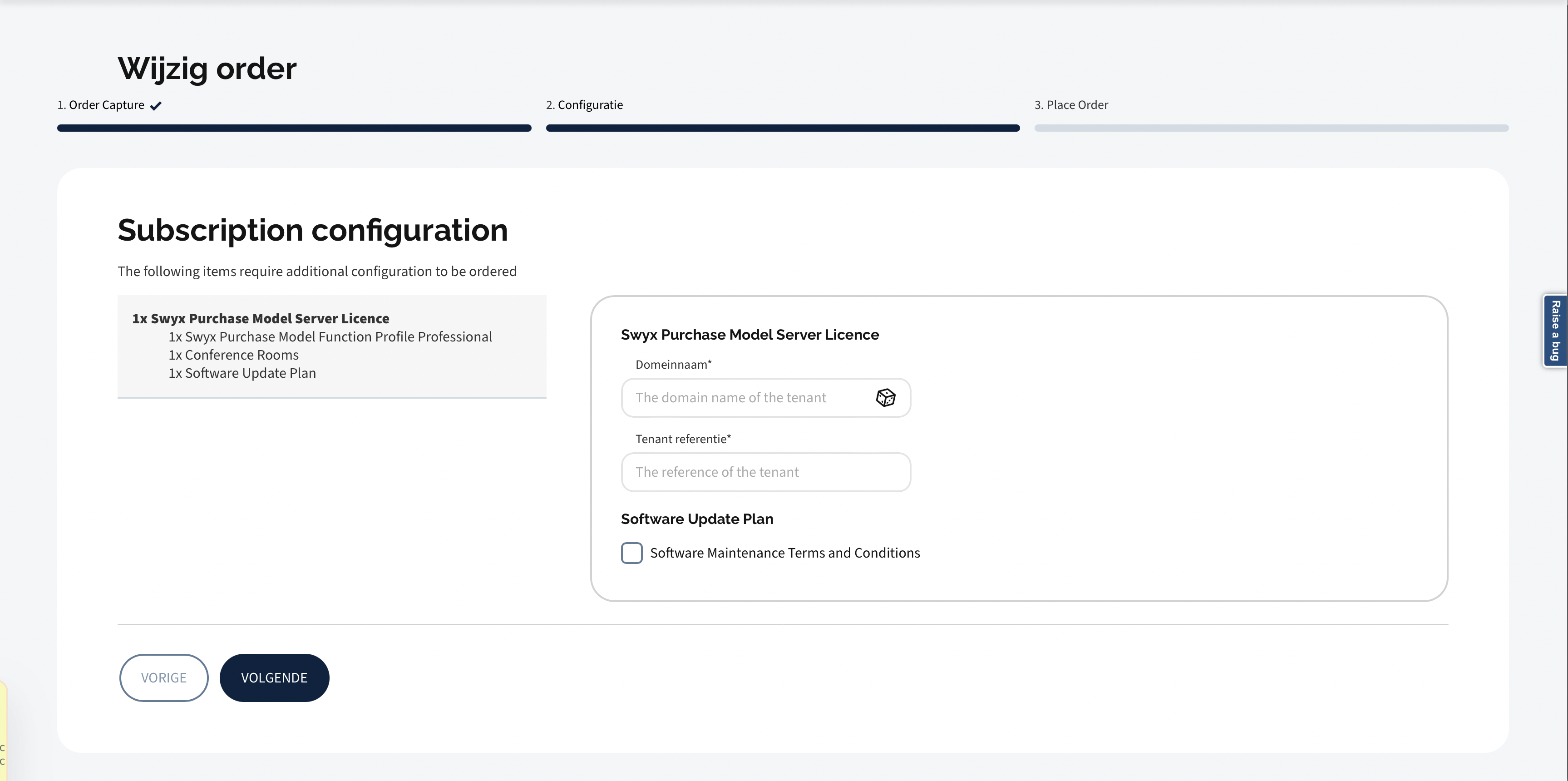
Step 13 - Retrieve configurations for each initial product / subscription
GET /v1/order-drafts/{orderDraftId}/configurations
Swagger documentation here: Get product configurations
Query Parameters:

Parameter      | Required   | Type    | Description
----------- | ------ | ---------- |------------
`orderDraftId` | required | UUID | UUID of the draft

Response:

```json
{
    "intakes": [
        {
            "intake_id": "91d0eba1-015a-430c-b70a-2d0c246683fe",
            "products": [
                {
                    "product_id": "464436e2-9664-5945-ad3c-6eff429da09d",
                    "configuration_schemas": [
                        {
                            "product_id": "464436e2-9664-5945-ad3c-6eff429da09d",
                            "json_schema": "{\"$schema\":\"http://json-schema.org/draft-2020-12/schema#\",\"$id\":\"urn:configuration:swyx-provisioning\",\"title\":\"Swyx configuration\",\"description\":\"This document records the required product configuration for ordering Swyx\",\"type\":\"object\",\"properties\":{\"domain_name\":{\"description\":\"The domain name of the tenant\",\"type\":\"string\"},\"tenant_reference\":{\"description\":\"The reference of the tenant\",\"type\":\"string\",\"minLength\":3,\"maxLength\":120}},\"required\":[\"domain_name\",\"tenant_reference\"]}",
                            "remote_values": {
                                "domain_name": {
                                    "endpoint": "/api/v1/domain_name/generate",
                                    "method": "POST",
                                    "property_selectors": {
                                        "application/json": "domain_name"
                                    }
                                }
                            }
                        }
                    ]
                },
                {
                    "product_id": "e219bf74-e033-5a9a-9644-b1902a5bb1c0",
                    "configuration_schemas": [
                        {
                            "product_id": "e219bf74-e033-5a9a-9644-b1902a5bb1c0",
                            "json_schema": "{\"$schema\":\"http://json-schema.org/draft-2020-12/schema#\",\"$id\":\"urn:configuration:swyx-provisioning-sup\",\"title\":\"Swyx configuration\",\"description\":\"This document records the required product configuration for ordering Swyx\",\"type\":\"object\",\"properties\":{\"sup_terms_and_conditions\":{\"title\":\"Software Maintenance Terms and Conditions\",\"type\":\"boolean\",\"const\":true}},\"required\":[\"sup_terms_and_conditions\"]}",
                            "remote_values": {}
                        }
                    ]
                }
            ]
        }
    ],
    "changes": []
}
```
Subscription configuration cannot be changed.
It is only possible to configure products added to the change order.
Step 14 - Execute dry-run to validate the draft
POST /v1/accounts/{accountId}/orders?order_draft_id={orderDraftId}&dry_run=true
Swagger documentation here: Post an order with dry_run
Query Parameters:

Parameter      | Required   | Type    | Description
----------- | ------ | ---------- |------------
`accountId` | required | UUID | UUID of the account
`orderDraftId` | required | UUID | UUID of the draft
Step 15 - Place the order
Finally, it is all settled to successfully submit the order. The order can handle multiple subscriptions. All the subscriptions in the order will be delivered on the same date (the date set for the order).
POST /v1/accounts/{accountId}/orders?order_draft_id={orderDraftId}
Swagger documentation here: Post an order
Query Parameters:

Parameter      | Required   | Type    | Description
----------- | ------ | ---------- |------------
`accountId` | required | UUID | UUID of the account
`orderDraftId` | required | UUID | UUID of the draft