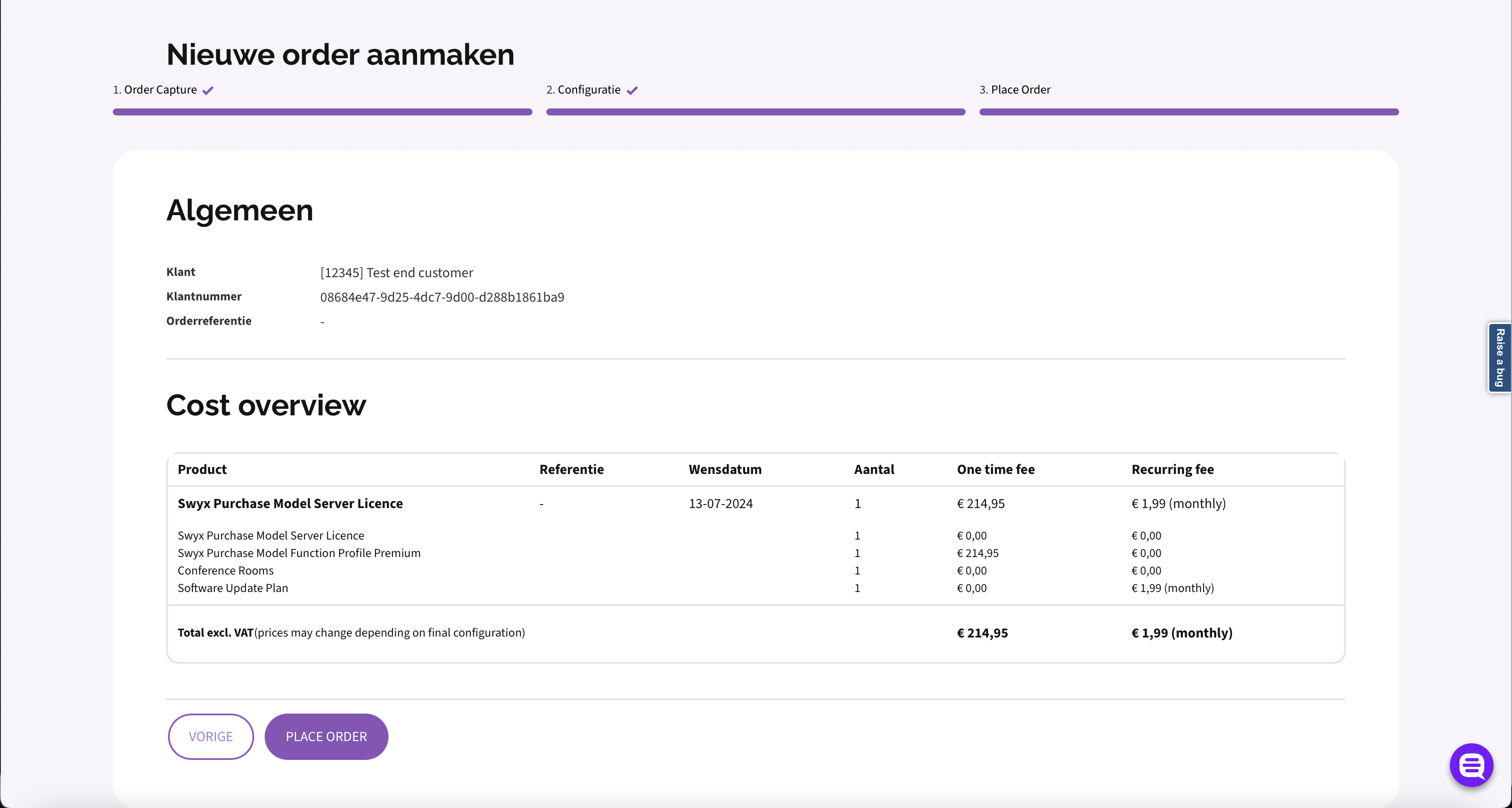
Place an intake order
This guide describes how to place an intake order step by step.
The examples in this guide are meant to be used as a reference. The UUIDs and dates are not real and should be replaced with real data. The illustrations are for visual representation only and do not match the data used to explain the endpoints.
Step 1 - Retrieve the order draft id
GET /v1/profile/order-drafts
Swagger documentation here: Get profile order drafts
Response:
{
    "order_draft_id":"a474ad23-e9d0-4ea7-8562-e13fd0826583"
}
Step 2 - Retrieve the draft
GET /v1/order-drafts/{draftId}
Swagger documentation here: Get the order draft
Query Parameters:
| Parameter | Required | Type | Description |
|---|---|---|---|
draftId |
required | UUID | UUID of the draft |
Response:
{
    "_links": {
        "intakes": {
            "href": "/v1/order-drafts/a474ad23-e9d0-4ea7-8562-e13fd0826583/intakes"
        },
        "changes": {
            "href": "/v1/order-drafts/a474ad23-e9d0-4ea7-8562-e13fd0826583/changes"
        },
        "terminates": {
            "href": "/v1/order-drafts/a474ad23-e9d0-4ea7-8562-e13fd0826583/terminates"
        }
    },
    "_embedded": {
        "intakes": [],
        "changes": [],
        "terminates": []
    },
    "id": "a474ad23-e9d0-4ea7-8562-e13fd0826583",
    "order_account_id": "829cd758-e448-4de1-a3ed-363a01666a3a",
    "reference": "-"
}
Properties
| Option | Type | Description |
|---|---|---|
order_account_id |
UUID | UUID of the wholesaler account |
reference |
string | Reference for the order |
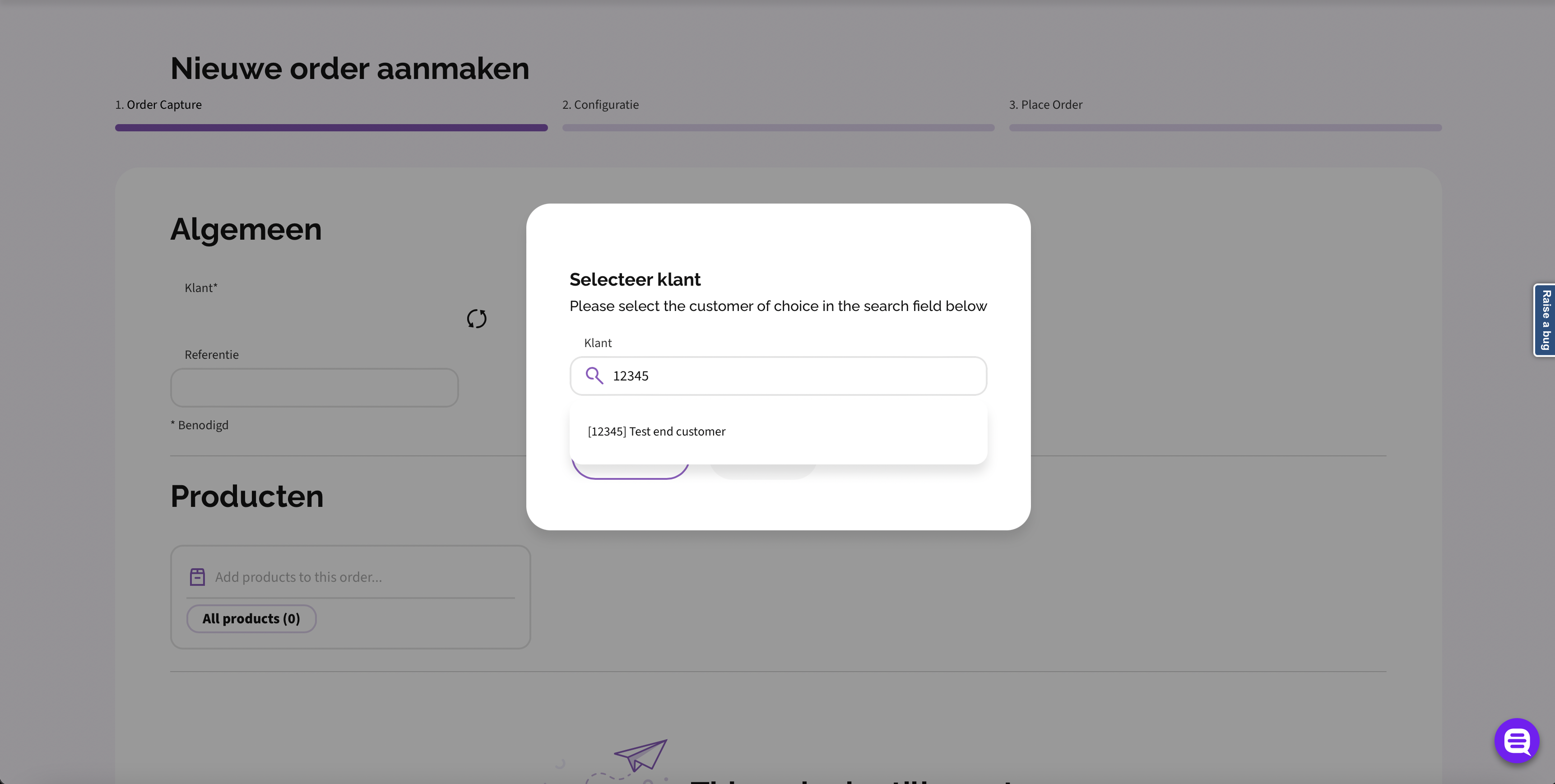
Step 3 - Select customer to place the order to
GET /v1/search?q=yourQuery
Swagger documentation here: Search API
Query Parameters:
| Parameter | Required | Type | Description |
|---|---|---|---|
q |
required | string | Query to find end customers by name or id, whom to place the order to |
Response:
    {
        "index": "account_address-1",
        "search_results": []
    },
    {
        "index": "account-1",
        "search_results": [
            {
                "identifier": "7298a949-c7da-463e-90e9-1eeb34558a2a",
                "display_line": "[12345] Test end customer",
                "_links": {
                    "self": {
                        "href": "https://api-gateway.k8s.ispworks.nl/v1/accounts/7298a949-c7da-463e-90e9-1eeb34558a2a"
                    },
                    "operator_uri": {
                        "href": "/account/setaccount/accountId/12345"
                    }
                },
                "parameters": {
                    "uuid": "7298a949-c7da-463e-90e9-1eeb34558a2a",
                    "legacy_id": 12345,
                    "operator_display_line": "Test end customer"
                }
            }
        ]
    }
]
Step 4 - Retrieve the initial products for the selected customer
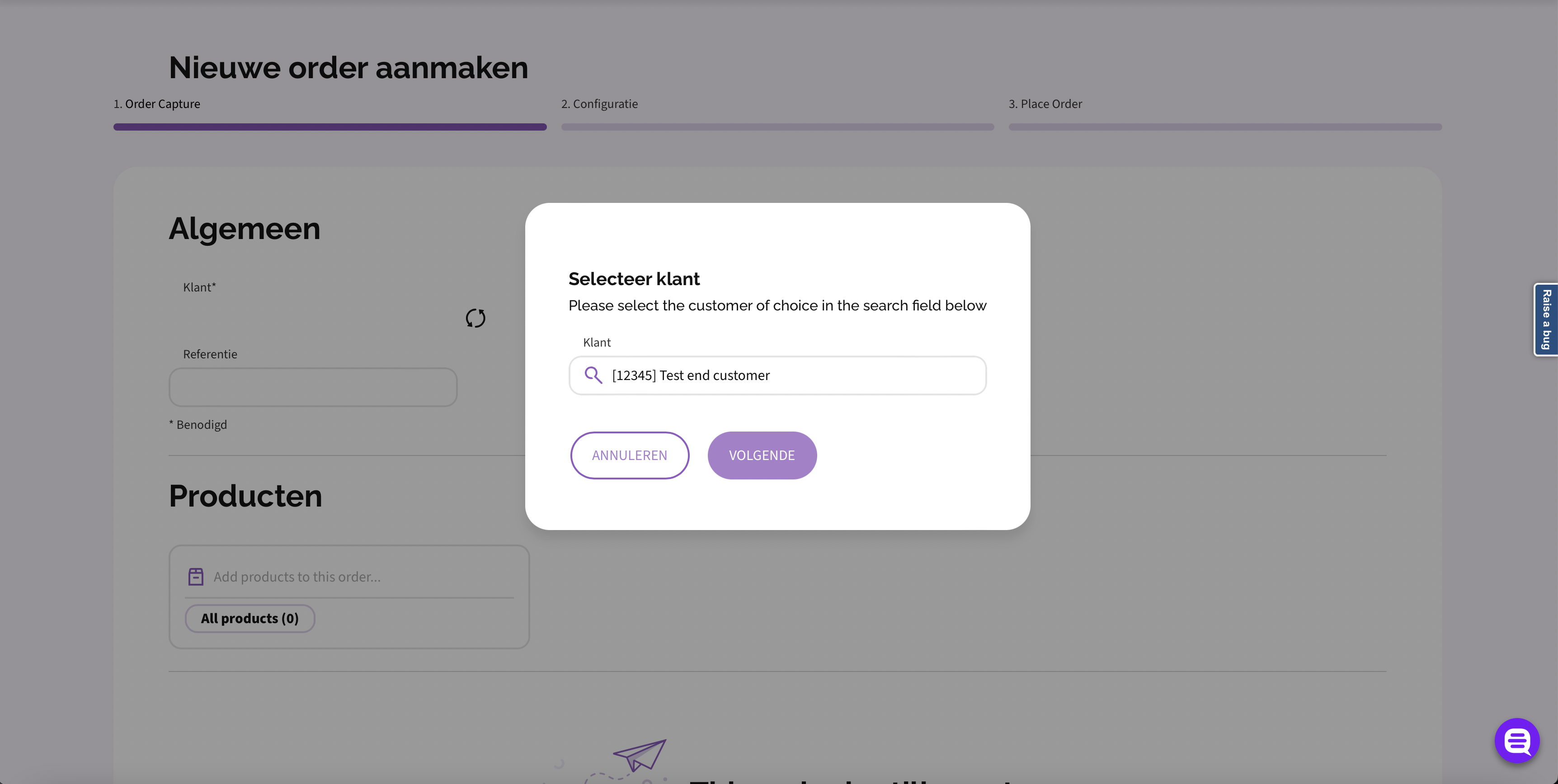
Initial Product are the products where an order starts with.
Validation of all the products in the order is based on this product.
Initial products available from the wholesaler to the end customer are retrieved from the request below. The UUIDs of those are not subject to change, and could be stored locally on the client side.
In case of storing products locally, be aware that new products could be added over time, so stay up to date!
GET /v1/consumers/{consumerId}/products?initial=true
Swagger documentation here: Get initial products
Query Parameters:
| Parameter | Required | Type | Description |
|---|---|---|---|
consumerId |
required | UUID | UUID of the end customer account selected in step 3. In this example: 7298a949-c7da-463e-90e9-1eeb34558a2a |
Response:
[
    {
        "id": "92a1ae9b-35fd-4e58-96c7-74579d941f76",
        "owner_account_id": "829cd758-e448-4de1-a3ed-363a01666a3a",
        "name": "Swyx Flex Server License",
        "is_initial": true,
        "is_active": true
    }
]
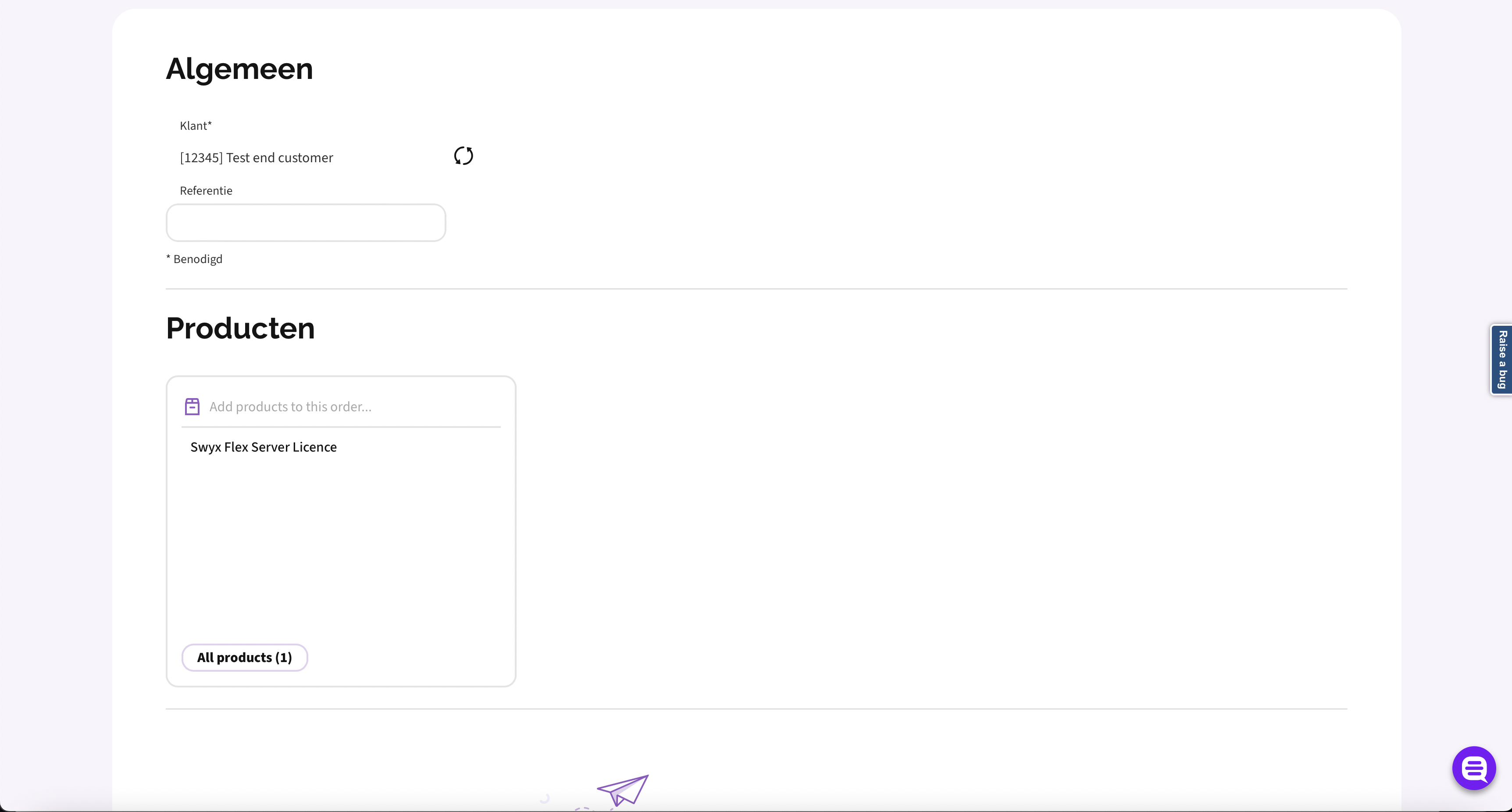
Step 5 - Retrieve the products and its combination rules from the selected initial product
Having selected the initial product, the products and its combinations rules can be retrieved.
The UUIDs of these products are not subject to change, and could be stored locally on the client side.
In case of storing products locally, be aware that new products could be added over time, so stay up to date!
GET /v1/consumers/{consumerId}/products/{productId}/relations?recursive=true
Swagger documentation here: Get all relations of a product available to a consumer
Query Parameters:
| Parameter | Required | Type | Description |
|---|---|---|---|
consumerId |
required | UUID | UUID of the end customer account selected in step 3. In this example: 7298a949-c7da-463e-90e9-1eeb34558a2a |
productId |
required | UUID | UUID of the initial product selected in step 4. It is unique per wholesaler. In this example: 92a1ae9b-35fd-4e58-96c7-74579d941f76 |
Response:
[
    {
        "product_id": "07cd1c6e-2532-5f74-8aa5-fe885de42d9f",
        "product_name": "Swyx Flex Server License",
        "optional_products": [
            {
                "productId": "0cd6d604-7d28-5f27-a1e2-cb2399e5912f",
                "multiplier": {
                    "min": 0,
                    "max": 9999
                }
            },
            {
                "productId": "95f514fb-e715-508c-b1ec-7a933471f031",
                "multiplier": {
                    "min": 0,
                    "max": 9999
                }
            },
            {
                "productId": "fcd3e5af-43d0-5ed8-be1b-e6d2d406b387",
                "multiplier": {
                    "min": 0,
                    "max": 9999
                }
            }
        ],
        "at_least_one_required_products": [
            [
                {
                    "productId": "0cd6d604-7d28-5f27-a1e2-cb2399e5912f",
                    "multiplier": {
                        "min": 1,
                        "max": 1
                    }
                },
                {
                    "productId": "95f514fb-e715-508c-b1ec-7a933471f031",
                    "multiplier": {
                        "min": 1,
                        "max": 1
                    }
                },
                {
                    "productId": "fcd3e5af-43d0-5ed8-be1b-e6d2d406b387",
                    "multiplier": {
                        "min": 1,
                        "max": 1
                    }
                }
            ]
        ],
        "allowed_change_products": [
            {
                "product_id": "07cd1c6e-2532-5f74-8aa5-fe885de42d9f",
                "product_name": "Swyx Flex Server License"
            }
        ],
        "initial_product_quantity": {
            "min": 1,
            "max": 1
        }
    },
    {
        "product_id": "6c93335f-8f2a-5d36-b6a8-eb16a7765349",
        "product_name": "Conference Rooms",
        "allowed_change_products": [
            {
                "product_id": "6c93335f-8f2a-5d36-b6a8-eb16a7765349",
                "product_name": "Conference Rooms"
            }
        ]
    }
]
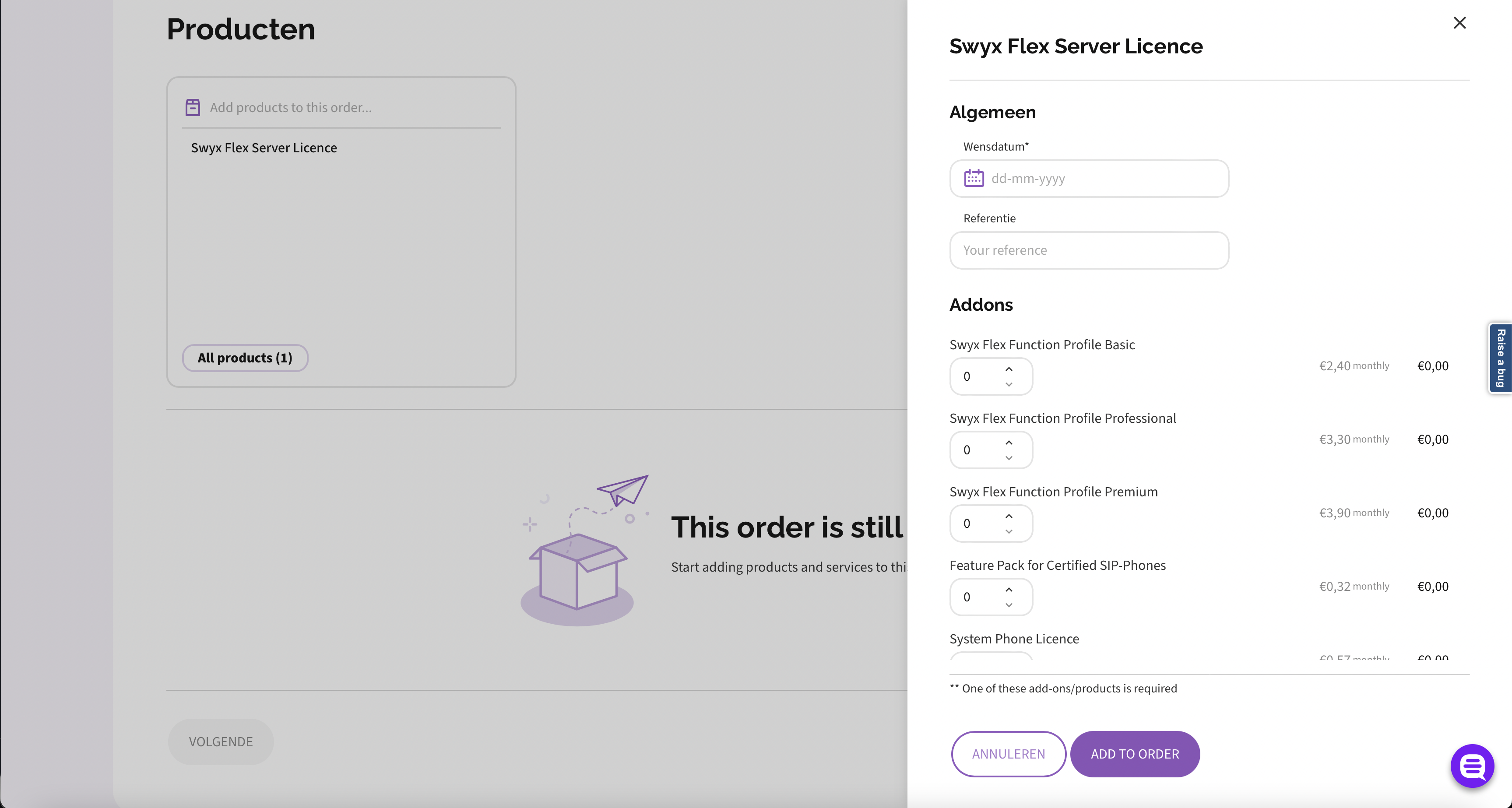
Validation rules explained
Optional products
These products are optional. When present in one other validation rule, the more restricted rule will be applied.
{
  "optional_products": [
    [
      {
        "product_id": "cbeee58c-4b45-5ffc-9189-5c7a6cdf74e2",
        "multiplier": {
          "min": 0,
          "max": 999
        }
      },
      {
        "product_id": "6f0898b6-eec5-5144-9c66-a63f8320a7d4",
        "multiplier": {
          "min": 0,
          "max": 1
        },
        "preconditions": [
          {
            "any_of": [
              "84b5dbe0-4eed-57dd-b630-11cac2581c66"
            ]
          }
        ]
      }
    ]
  ]
}
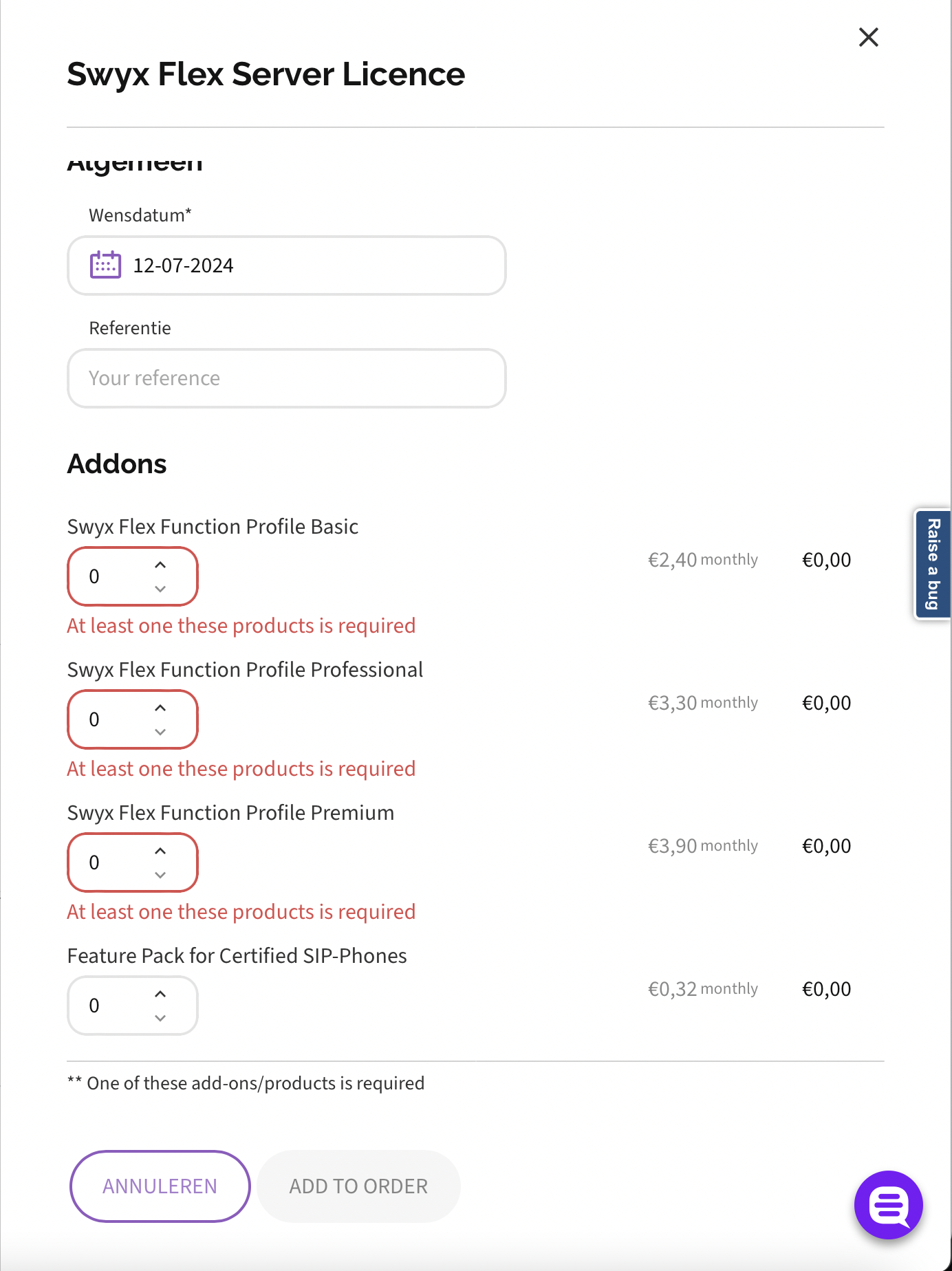
At least one required product
These products depend on each other
{
  "at_least_one_required_products": [
    [
      {
        "product_id": "cbeee58c-4b45-5ffc-9189-5c7a6cdf74e2",
        "multiplier": {
          "min": 1,
          "max": 1
        },
      },
      {
        "product_id": "6f0898b6-eec5-5144-9c66-a63f8320a7d4",
        "multiplier": {
          "min": 1,
          "max": 1
        },
        "preconditions": [
          {
            "any_of": [
              "84b5dbe0-4eed-57dd-b630-11cac2581c66"
            ]
          }
        ]
      },
      {
        "product_id": "552ad574-d0ef-5e8a-9a9e-6c6d27578680",
        "multiplier": {
          "min": 1,
          "max": 1
        },
      }
    ]
  ]
}
Require all with different multiplier
!!! example "Product '6f0898b6-eec5-5144-9c66-a63f8320a7d4' requires product '99b8dff1-...'".
```json
{
  "product_id": "6f0898b6-eec5-5144-9c66-a63f8320a7d4",
  "product_name": "SwyxON Function Profile Professional",
  "required_products": [
    {
      "product_id": "99b8dff1-ac58-5ad1-9170-953998acff6c",
      "multiplier": {
        "min": 0,
        "max": 1
      },
    }
  ]
}
```
Require all with equal minimum and maximum multiplier
!!! example "Product '6f0898b6-eec5-5144-9c66-a63f8320a7d4' requires product '99b8dff1-...'".
Since the minimum and maximum multiplier are same, that will be the amount of the required product which cannot be altered or will inquire in a validation error.

```json
{
  "product_id": "6f0898b6-eec5-5144-9c66-a63f8320a7d4",
  "product_name": "SwyxON Function Profile Professional",
  "required_products": [
    {
      "product_id": "99b8dff1-ac58-5ad1-9170-953998acff6c",
      "multiplier": {
        "min": 1,
        "max": 1
      },
    }
  ]
}
```
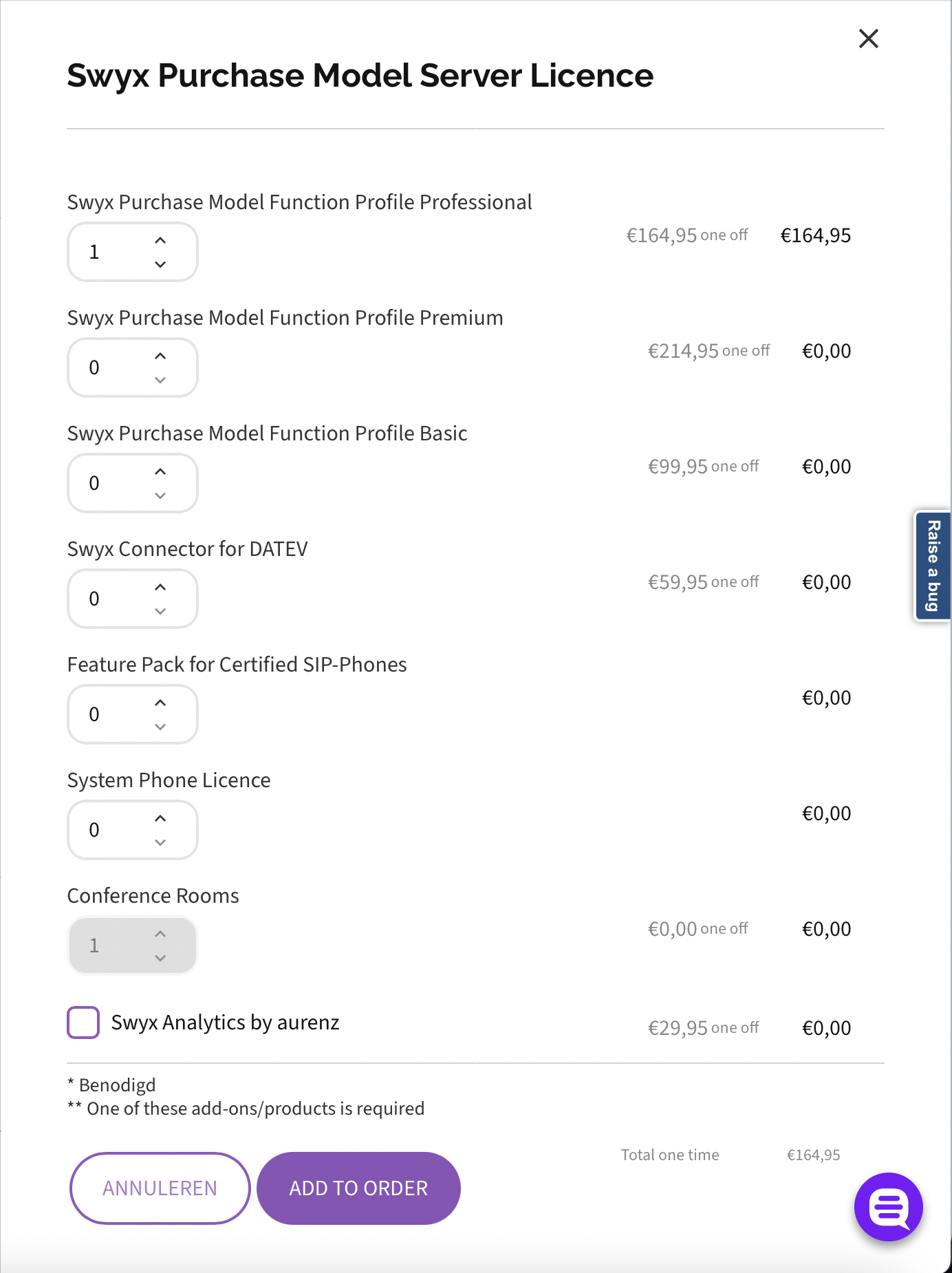
Mutual exclusive products
Product 'fc00aaae-e56e-5313-ad36-88733479e03f' cannot be ordered with product 'df460760-2188-5518-a2dd-244703dd7828' in the same order.
{
  "product_id": "fc00aaae-e56e-5313-ad36-88733479e03f",
  "product_name": "SwyxON VisualGroups Enhanced",
  "mutual_exclusive_products": ["df460760-2188-5518-a2dd-244703dd7828"],
  "allowed_change_products": [{
    "product_id": "fc00aaae-e56e-5313-ad36-88733479e03f",
    "product_name": "SwyxON VisualGroups Enhanced"
  }]
}
Step 6 - See individual prices for each product
It is optionally possible to retrieve the prices for each product individually.
GET /dev/buyers/{accountId}/products/prices?product_ids={productIds}
Swagger documentation here: Get prices of products
Query Parameters:
| Parameter | Required | Type | Description |
|---|---|---|---|
accountId |
required | UUID | UUID of the wholesaler account retrieved from the draft in step 2. In this example "829cd758-e448-4de1-a3ed-363a01666a3a" |
productIds |
required | string | Comma separated list of UUIDs of the products retrieves in step 5 from initial product |
Response:
{
    "currency": {
        "code": "EUR",
        "decimals": 2
    },
    "products": [
        {
            "product_id": "6656d78c-ffa2-5f41-8b5f-be00d99111b7",
            "pricing": {
                "billing_interval": {
                    "type": "MONTHLY",
                    "interval": 1
                },
                "contract_duration": {
                    "type": "DAILY",
                    "duration": 1
                },
                "pricing": {
                    "volume": null,
                    "tiered": null,
                    "fixed": {
                        "amount": 0
                    }
                }
            }
        },
        {
            "product_id": "1bb24c32-89b2-5f77-9fa2-2f81f33a770f",
            "pricing": {
                "billing_interval": {
                    "type": "MONTHLY",
                    "interval": 1
                },
                "contract_duration": {
                    "type": "DAILY",
                    "duration": 1
                },
                "pricing": {
                    "volume": null,
                    "tiered": null,
                    "fixed": {
                        "amount": 0
                    }
                }
            }
        },
        {
            "product_id": "e41081e4-442a-5e75-b2ca-f9cef77f4ac4",
            "pricing": {
                "billing_interval": {
                    "type": "MONTHLY",
                    "interval": 1
                },
                "contract_duration": {
                    "type": "DAILY",
                    "duration": 1
                },
                "pricing": {
                    "volume": null,
                    "tiered": null,
                    "fixed": {
                        "amount": 240
                    }
                }
            }
        }
    ]
}
Step 7 - Add the intake to the draft
PATCH /v1/order-drafts/{orderDraftId}
Swagger documentation here: Update the order draft
Payload:
[
  {
    "op":"add",
    "path":"/intakes",
    "value":
      {
        "reference":"test",
        "wish_date":"2024-05-16",
        "products": [
          {
            "product_id":"07cd1c6e-2532-5f74-8aa5-fe885de42d9f",
            "quantity":1
          },
          {
            "product_id":"0cd6d604-7d28-5f27-a1e2-cb2399e5912f",
            "quantity":1
          },
          {
            "product_id":"95f514fb-e715-508c-b1ec-7a933471f031",
            "quantity":1
          },
          {
            "product_id":"6c93335f-8f2a-5d36-b6a8-eb16a7765349",
            "quantity":1
          }
        ]
      }
  }
]
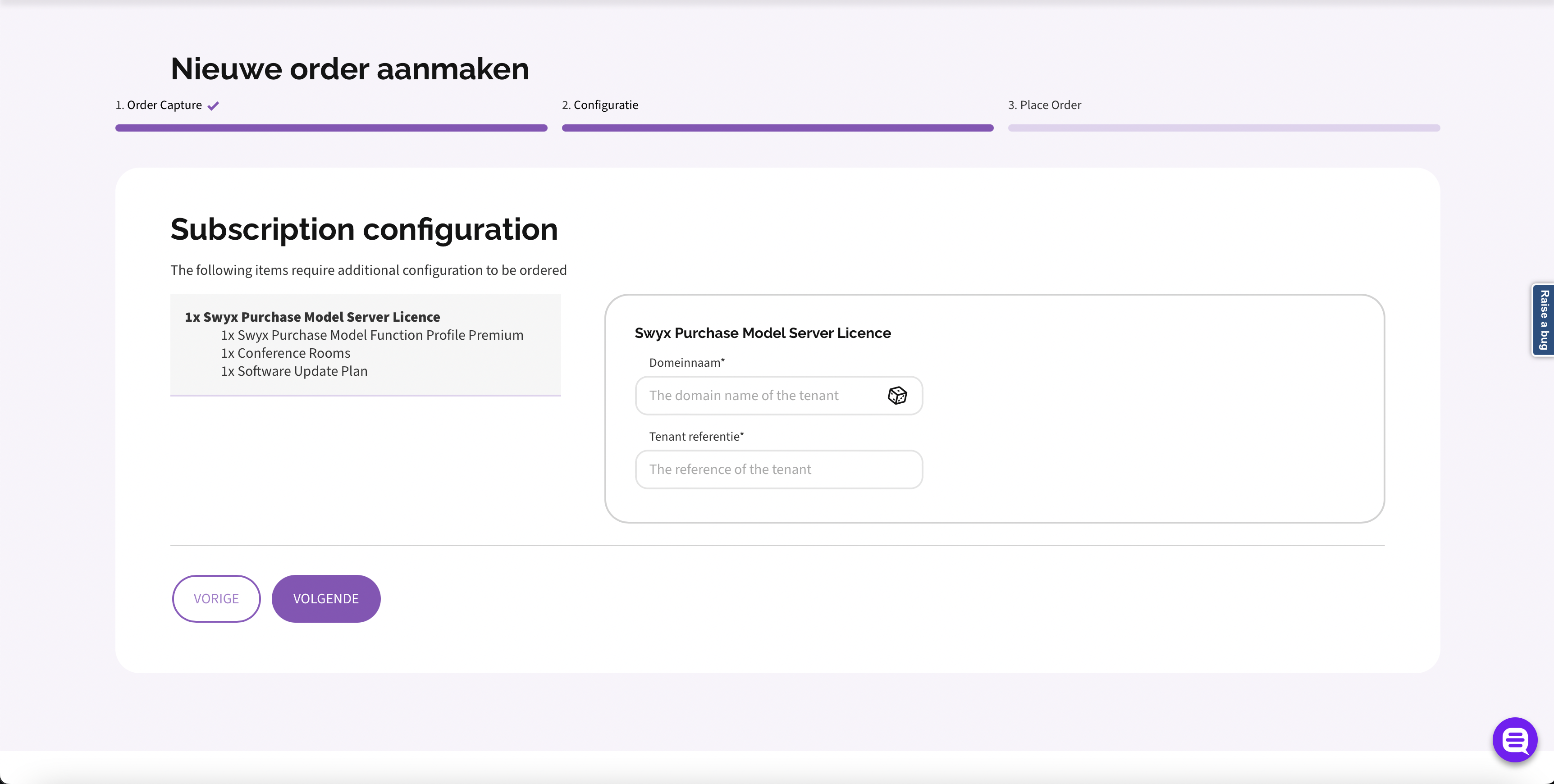
Step 8 - Retrieve configurations for each initial product / subscription
GET /v1/order-drafts/{orderDraftId}/configurations
Swagger documentation here: Get product configurations
Query Parameters:
| Parameter | Required | Type | Description |
|---|---|---|---|
orderDraftId |
required | UUID | UUID of the draft |
Response:
{
    "intakes": [
        {
            "intake_id": "7ee913f2-73e8-413f-a606-99a76856e6be",
            "products": [
                {
                    "product_id": "07cd1c6e-2532-5f74-8aa5-fe885de42d9f",
                    "configuration_schemas": [
                        {
                            "product_id": "07cd1c6e-2532-5f74-8aa5-fe885de42d9f",
                            "json_schema": "{\"$schema\":\"http://json-schema.org/draft-2020-12/schema#\",\"$id\":\"urn:configuration:swyx-provisioning\",\"title\":\"Swyx configuration\",\"description\":\"This document records the required product configuration for ordering Swyx\",\"type\":\"object\",\"properties\":{\"domain_name\":{\"description\":\"The domain name of the tenant\",\"type\":\"string\"},\"tenant_reference\":{\"description\":\"The reference of the tenant\",\"type\":\"string\",\"minLength\":3,\"maxLength\":120}},\"required\":[\"domain_name\",\"tenant_reference\"]}",
                            "remote_values": {
                                "domain_name": {
                                    "endpoint": "/api/v1/domain_name/generate",
                                    "method": "POST",
                                    "property_selectors": {
                                        "application/json": "domain_name"
                                    }
                                }
                            }
                        }
                    ]
                }
            ]
        }
    ],
    "changes": []
}
Step 9 - Execute dry-run to validate the draft
POST /v1/accounts/{accountId}/orders?order_draft_id={orderDraftId}&dry_run=true
Swagger documentation here: Post an order with dry_run
Query Parameters:
| Parameter | Required | Type | Description |
|---|---|---|---|
accountId |
required | UUID | UUID of the account |
orderDraftId |
required | UUID | UUID of the draft |
Step 10 - Place the order
Finally, it is all settled to successfully submit the order. The order can handle multiple subscriptions. All the subscriptions in the order will be delivered on the same date (the date set for the order).
POST /v1/accounts/{accountId}/orders?order_draft_id={orderDraftId}
Swagger documentation here: Post an order
Query Parameters:
| Parameter | Required | Type | Description |
|---|---|---|---|
accountId |
required | UUID | UUID of the account |
orderDraftId |
required | UUID | UUID of the draft |